CHROME EXTENSIONSave products where you find them
The LISTAI extension reads a product page in any online store and carries the find into your library — with photographs, price, colours and your own note.
How it works
01Open a productAny online store, any product page. There is no list of supported sites.
02Press CaptureThe extension reads the page and shows you what it found: title, brand, price, colours and photographs.
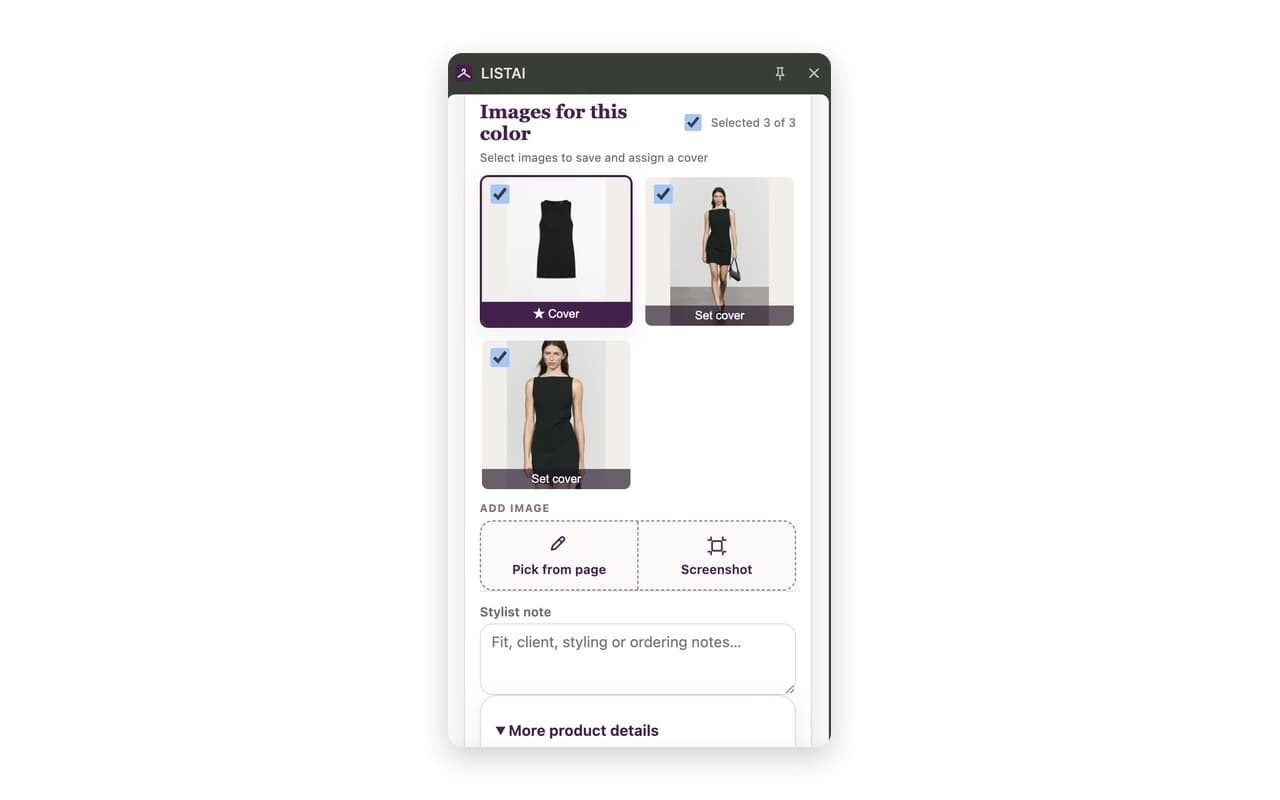
03Review and chooseCorrect whatever needs it, choose the photographs and the cover, add a stylist's note.
04Save to your libraryThe find appears in your LISTAI library, ready to be built into a look.
About the permissions — plainly
When you install it, Chrome warns that the extension can "read and change all your data on all websites". That wording is the browser's, and it is broad; here is what it means for us. The extension works on any site because there is no list of supported stores — otherwise it would be useless on a small boutique. But it reads a page only when you press Capture, and only the page you have open. It does not track your browsing history, does not read cookies or passwords, does not look into other tabs, and does nothing in the background. It sends data only to LISTAI's servers, into your account.
More in the privacy policy →Start building your library
All brand names, product images and trademarks shown belong to their respective owners and are used solely to illustrate how the tool works. LISTAI is not affiliated with or endorsed by any retailer shown.